It’s important to be clear on the scope of what you need, and what that level of effort may cost, before budget conversations get too far.


A website redesign is one of the most complex projects a marketing team will run. Not because the work is impossible, but because the groundwork rarely gets done before the kickoff call.
Over 25 years of B2B redesign projects, we’ve seen the same gaps surface repeatedly: unclear success metrics, undefined content ownership, and budget conversations that start too late. This checklist covers what to think through before you brief an agency, so those conversations go somewhere useful.
Website Redesign Readiness Checklist
Ensure your website redesign's success with our essential readiness checklist.
1. Be thoughtful about your budget
In today’s economy, the competition for marketing dollars is fierce. From ad campaigns and lead generation, to social media and events, to product marketing communications, the dollars have to go far.
As you’re planning your marketing budget, it’s important to remember that every two to four years you likely need a site refresh. This will be a big-ticket item that you have to plan for.
Companies often approach us before they are prepared to have a realistic budget conversation. Scope and cost can vary significantly depending on the technical lift, the depth of design changes, and the overall volume of pages involved.
Clarify business goals and success metrics first
Before locking in budget or scope, be clear on what this redesign needs to accomplish for the business. A visual refresh alone rarely justifies the investment.
Define the primary goals driving the redesign, whether that’s improving lead quality, supporting a new go-to-market strategy, repositioning the brand, or enabling faster content updates. Then, identify how success will be measured after launch. This might include conversion performance, engagement metrics, organic growth, or operational efficiency for your team.
Clear goals and success metrics create a shared definition of “done” and help keep decisions grounded as the project moves forward.
Align budget with scope, timeline, and tech stack
Your budget should reflect the level of change required to achieve your goals, not just the number of pages or design deliverables.
Scope, timeline, and technology choices are tightly connected. A compressed timeline may require more resources. A CMS migration or new integrations can significantly impact cost and complexity. A phased approach may be necessary to balance ambition with budget realities.
Aligning these factors early helps prevent scope creep, mid-project tradeoffs, and mismatched expectations between internal teams and agency partners.
2. Conduct a content audit of your existing site
Do you have a good sense of how many pages are on your current site? Sometimes companies think their site is going to be an efficient 20-30 page overhaul, when in truth, they haven’t considered pages that have been added on over time or content like blogs or product collateral that each have their own dedicated page.
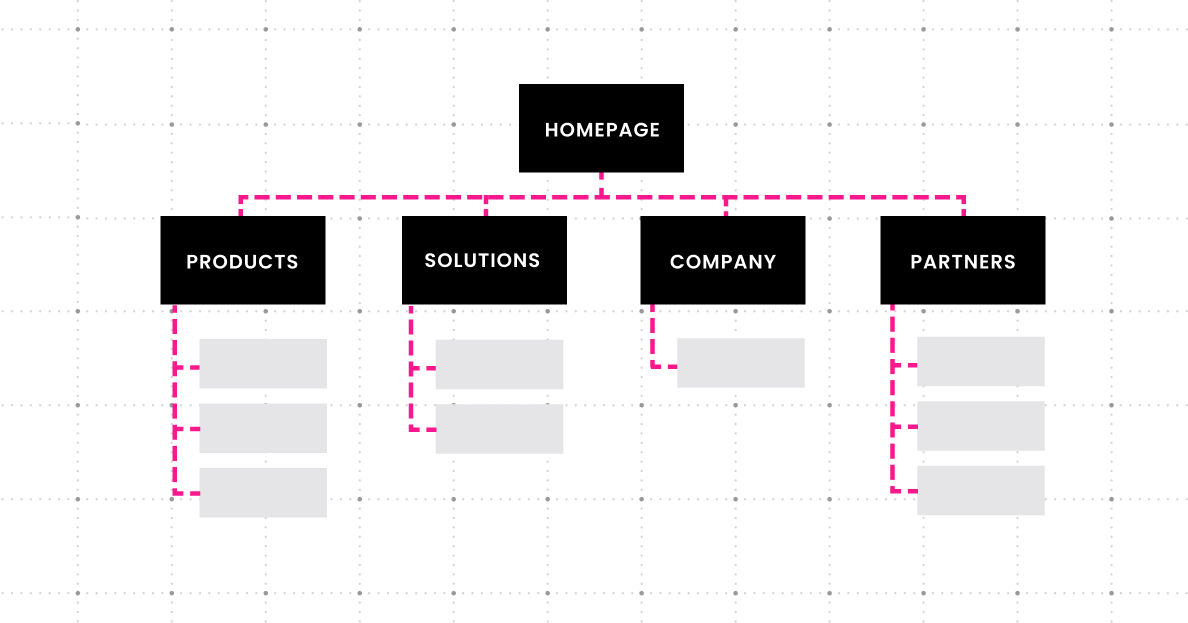
You’ll also want to take into account marketing campaign landing pages as part of your audit. Do you want to consider these within the scope of your website redesign, or can they continue to sit outside of the core structure of your site? Think about this from both a look and feel perspective, as well as your information architecture and website taxonomy.
3. Map your website redesign step by step
A website redesign moves fast once it’s in motion, and that’s exactly why you want a clear step-by-step plan before you start. Mapping the phases upfront helps you set realistic expectations, avoid missed dependencies, and keep stakeholders aligned as decisions stack on top of each other.
At a high level, most successful redesigns follow this sequence:
- Discovery and stakeholder alignment
Confirm goals, audiences, success metrics, and decision-makers, then document what “good” looks like. - UX research and information architecture
Validate user needs, define site structure and navigation, and ensure your content strategy supports how people actually find and consume information. - Wireframes and visual design
Translate strategy into page layouts and design systems, then build key templates that will scale across the site. - Content creation and migration plan
Finalize page-level content needs, establish ownership and review cycles, and plan how legacy content will be improved, rewritten, consolidated, or retired. - Development and integration
Build the site, implement templates and components, and connect the tools you rely on (CRM, marketing automation, analytics, and other integrations). - QA, testing, and launch
Test across devices and browsers, confirm accessibility and performance, validate tracking, then launch with a structured rollout plan. - Post-launch optimization
Use real user behavior and performance data to refine UX, content, and conversion paths over time.
4. Review competitor sites
Before any website redesign project, having a clear idea of preferences and industry standards is paramount. Spend time looking at competitor sites, as well as the sites of companies that are adjacent to or complementary to your industry.
Think about UX, storytelling, and design strategies that you find interesting or that you think could work for your brand. You may also find inspiration and interesting ideas on sites from other industries. As you gather this intelligence, be intentional about documenting what you like and why (not just because it’s Apple and it’s cool).
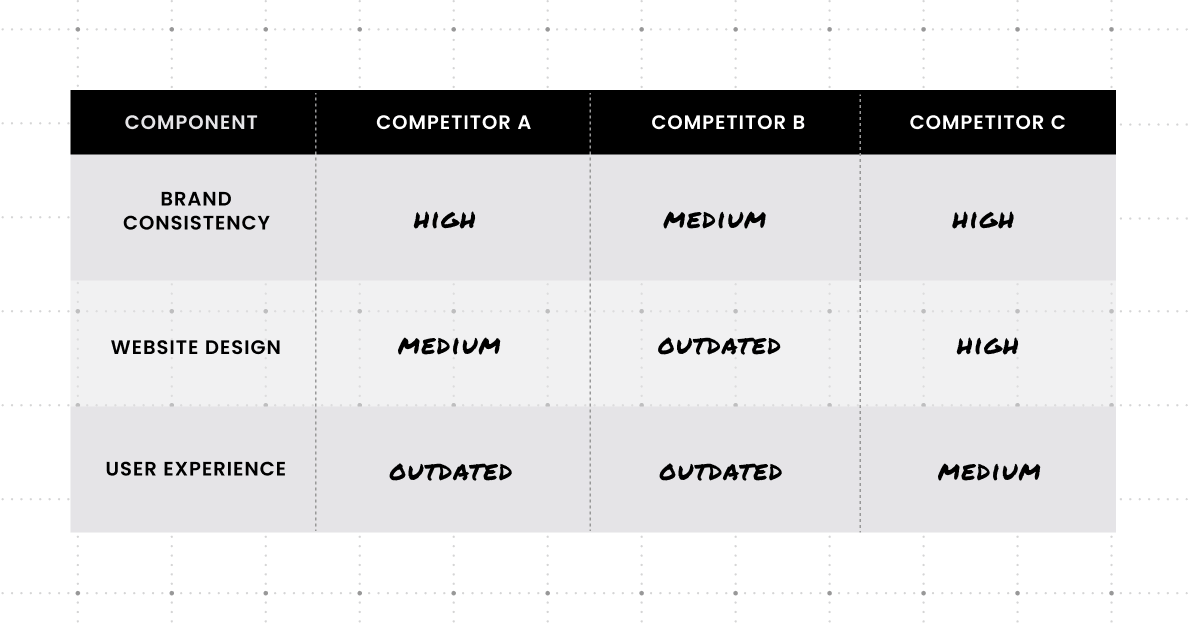
Likewise, it can be just as helpful to document web practices that you don’t like. Whether you see them on your own site or on others, having a clear understanding of what isn’t working for you and why can be equally informative for your web design agency.
5. Identify your copywriting needs
Determine how much you think your content will change. Is this a more visually driven refresh? Or, have you recently updated your brand messaging and need to reframe the way your site is written?
Or, maybe you need a complete messaging refresh, as well? Website redesigns are a great way to introduce new corporate messaging. The Clear Digital team often helps companies revamp messaging as a first step in the website redesign checklist and then implement that messaging throughout the site.
Website redesigns are a great way to introduce new corporate messaging.
If you do anticipate needing to update the content and writing on your pages, it’s important to consider who will be responsible for that. You may have people on your team who can tackle all the writing. Just be very clear on bandwidth and availability during the timeframes you need it. Also, if you have multiple people writing pages, have a plan for someone to review the copy to ensure a consistent voice across your site.
Build a page-level content plan
Before writing begins, map out what content is needed on a page-by-page basis. This helps clarify scope, highlights gaps, and prevents last-minute surprises once design and development are underway.
A page-level plan should account for core pages, supporting pages, and any campaign or product content that needs to be created, rewritten, consolidated, or retired as part of the redesign.
Align messaging with your brand story
A website redesign is an opportunity to reinforce or refine how your brand shows up in the market. Messaging should be consistent, intentional, and aligned with your broader brand story, not developed page by page in isolation.
Whether you’re introducing new positioning or reinforcing existing messaging, alignment early in the process helps ensure the site feels cohesive and supports your business narrative end to end.
Plan for visuals and downloadable assets
Copy doesn’t live on its own. Visual elements and supporting assets play a critical role in how content is consumed and understood.
Plan ahead for visuals such as photography, illustrations, diagrams, and icons, as well as any downloadable assets like PDFs, guides, or tools. Defining these needs early helps teams coordinate timelines, avoid rework, and ensure content and design evolve together.
If your web design agency will be doing the copywriting, remember that their team will likely need access to your subject matter experts during the writing phase, as well as timely review and feedback for all the pages they write. Your team will still be very involved!
6. Think about technical requirements
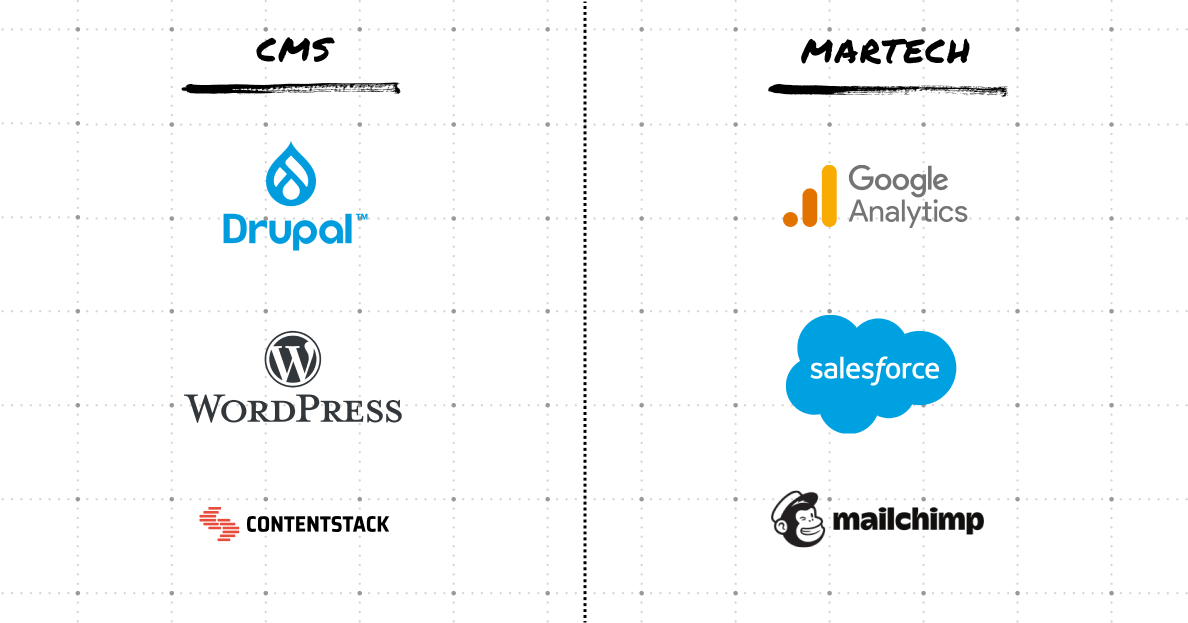
A site redesign is the perfect time to consider the back-end technologies you have in place. Does your team need to be able to update content and add pages as needed? Are you looking for more sophisticated interactive elements on the site to increase engagement?
Consider the technical concerns you have now and what you might need in the next two to four years. You don’t need to have all the answers. A good web design agency will help you navigate your options and find the right fit (and they definitely should be presenting and discussing the options with you.)
Performance and site speed
Website performance has a direct impact on user experience, SEO, and conversion rates. As part of a redesign, assess current load times, page performance, and technical bottlenecks that may be affecting engagement.
This is also the time to consider how new design elements, animations, media, and integrations may affect performance if not planned carefully.
Mobile responsiveness and accessibility
Your website should be designed with mobile users and accessibility standards in mind from the start, not treated as a secondary pass.
Review how your current site performs across devices and consider accessibility requirements such as color contrast, keyboard navigation, and screen reader support. Addressing these early helps avoid costly rework later and ensures your site works for a broader audience.
Integrations, security, and reliability
Most modern B2B websites rely on multiple systems working together. Document the tools and integrations your site depends on today, such as CRM, marketing automation, analytics, and personalization platforms.
This is also an opportunity to evaluate security needs, data handling requirements, and overall site reliability, especially if your business or tech stack has evolved since your last redesign.
Testing and QA tools
Quality assurance should be planned, not improvised. Define how testing will be handled across devices, browsers, and user scenarios before launch.
This includes validating tracking and analytics, confirming form and integration behavior, and ensuring content and design perform as expected under real-world conditions. A structured QA approach helps reduce launch risk and post-launch fire drills.
7. Optimize after launch
A website redesign doesn’t stop once the site goes live. Launch is the point where assumptions meet real user behavior, making post-launch evaluation just as important as the work that comes before it.
After launch, teams should monitor performance against the goals and success metrics defined early in the process. This helps validate whether the redesign is delivering on its intended outcomes and highlights areas that may need refinement.
Ongoing optimization allows you to improve user experience, content effectiveness, and conversion paths based on real data, not speculation. Small, incremental improvements made post-launch often have a meaningful impact without requiring another major overhaul.
Finally, it’s important to plan for ongoing maintenance. As your business evolves, your website needs to evolve with it. Treating the site as a living asset helps ensure it continues to support growth, performance, and changing priorities over time.
You don’t need every answer before you start a conversation. Most clients come to us mid-question, not mid-answer. What matters is that you’ve thought through the basics: what this redesign needs to accomplish, what your content situation actually looks like, and how you’ll know it worked. That foundation makes the agency relationship faster and more direct from day one.
If you’re ready to talk through your website, let’s get into it.
FAQs for website redesign
1. How long does a typical B2B website redesign take?
Most B2B redesigns run three to six months, though that range depends on scope, content volume, and how quickly stakeholder reviews move. A 20-page refresh with existing content is a different project than a full-site rebuild with new messaging and a CMS migration. Get alignment on scope before estimating timeline.
2. How often should a B2B company redesign its website?
Every two to four years is a reasonable baseline, but the real trigger is usually a business shift: a rebrand, a new go-to-market strategy, a merger, or a significant drop in conversion or search performance. Don’t redesign on a schedule; redesign when the site can no longer do its job.
3. What are the signs it’s time for a redesign?
Declining organic traffic, low conversion rates on high-intent pages, a site that’s difficult to update internally, and messaging that no longer reflects the business are the clearest indicators. If your team is consistently working around the site rather than through it, that’s a signal.
4. What should I look for when hiring a web design agency?
B2B experience matters more than a large portfolio. Look for an agency that asks about your business goals before talking about design, has a clear discovery and strategy phase, can show measurable outcomes from past projects, and has experience with your CMS or platform.
5. How much does a B2B website redesign cost?
Scope drives cost. A focused refresh of an existing site sits in a different range than a full redesign with new messaging, UX research, and custom development. The clearest way to get an accurate number is to have a scoped conversation with an agency before requesting a proposal.
Get our latest insights in your inbox
8 Criteria for Choosing a B2B Web Redesign Agency
Article
8 Criteria for Choosing a B2B Web Redesign Agency
By Clear Digital on September 15, 2026
Read moreWhat a B2B Website Redesign Requires From Your Team
Article
What a B2B Website Redesign Requires From Your Team
By Clear Digital on September 11, 2026
Read moreHow to Justify a Website Redesign to Your CEO, CFO, or Board
Article
How to Justify a Website Redesign to Your CEO, CFO, or Board
By Clear Digital on September 11, 2026
Read more